01What Claude Opus 5.5 Is and How It Works
Claude Opus 5.5 is an AI model that helps automate SEO content creation. It generates entire web pages based on your keywords and case studies, making it possible to rank higher in Google and AI search results.
In this episode, Julian Goldie explains how he uses Claude Opus 5.5 to find keywords that already bring clicks and impressions, then automatically creates dedicated pages for them. The system works by checking your Google Search Console data for the last 24 hours to spot opportunities.
When you find a keyword that gets traffic but has no specific page, you create one. Claude Opus 5.5 writes the content, formats it, adds internal links, and even includes a FAQ section. This helps you rank faster and get more visits.
02Key Features of Claude Opus 5.5 for SEO
- Automated content generation – Creates full pages from a keyword and case study.
- Internal linking – Automatically adds relevant links to other articles.
- Humanized writing – Content feels natural and well-written, not robotic.
- FAQ integration – Adds a FAQ section to target extra keywords.
- Case study CTAs – Includes calls-to-action that convert traffic into sales.
- Authority elements – Adds testimonials and a bio to build trust.
These features work together to make each page unique and useful. Julian notes that the content is based on his own words and tests, which makes it original. That is something Google likes because it shows expertise.
The system is fully automated once you set it up. You can deploy the same skill across multiple websites, saving time and keeping consistency.
03How to Set Up Your Keyword Discovery System
To start with Claude Opus 5.5, you need a simple setup. Julian recommends using the Agent Operating System (Agent OS) to pull in Google Search Console data, but you can also do it manually.
- Open your Google Search Console and look at the last 24 hours of data.
- Identify keywords that are getting clicks and impressions but do not have a dedicated page on your site.
- List these keywords in a Google Doc for easy reference.
- Search your own website to confirm you don't already have a page for each keyword.
- Pick 3 to 5 new pages to create around a topic.
- Copy the keyword list and move to the generate step in Agent OS or a Claude skill.
This process is repeatable. You can check daily and always find fresh opportunities. Julian emphasizes that if you are getting clicks and impressions but have no page, creating one is a smart move.
04How to Use Claude Opus 5.5 to Generate Content
Once you have your keyword list, generating content is simple. In the Agent OS, go to the 'generate' tab. Enter your target keyword and upload a case study, then click generate.
- Open the Agent OS or a Claude skill with your SEO system.
- Enter the target keyword you want to rank for.
- Add a case study that relates to the topic.
- Click generate and wait for Claude Opus 5.5 to create the page.
- Review the page for quality – it should have a title, first paragraph with the keyword, a case study CTA, a table, internal links, a FAQ, testimonials, and a bio.
Julian shows an example page for 'access Jeff' that includes all these elements. The content looks humanized and is better written than typical AI content. The FAQ section helps you rank for extra keywords because Google indexes FAQs.
After generating, you can publish on your site. The whole process works for any niche, from SEO to AI to local businesses.
05Results from Using Claude Opus 5.5
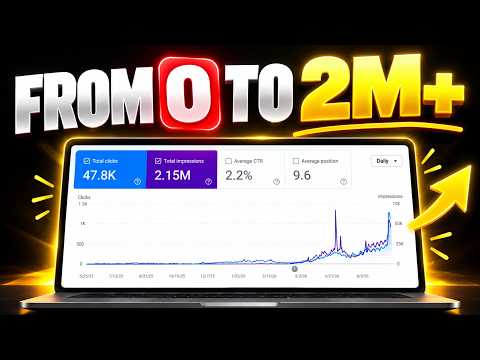
Julian reveals impressive results: he grew one website from 0 to 1300 clicks a day using this system. He also ranks number one for 'best GEO expert' in Google AI searches.
He shows that the system works across multiple websites. The content is based on his own words and case studies, which makes it unique. This uniqueness and authority help improve rankings.
Julian mentions that adding a pin CTA at the bottom was suggested by Kazra Dash and it definitely helped. The more you refine the system, the better the results become. He keeps testing and improving the process.
06Tips, Limits, and Mistakes to Avoid
- Check for overlaps – Before creating a page, search your site to see if you already have a similar one. Overlapping content might not need a new page.
- Create 3-5 pages – Focus on a handful of new pages per topic instead of trying to cover everything.
- Use unique case studies – Content based on your own data is more original and valuable.
- Add FAQs – They help you rank for long-tail keywords and improve user experience.
- Include authority elements – Testimonials and a bio build trust and show real authorship.
- Monitor daily – The 24-hour window gives you fresh opportunities, so check regularly.
One limit is that you need consistent search console data. If you're not getting impressions or clicks, the system won't find opportunities. Also, the Agent OS is a paid tool, but there is a manual way to do it.
Avoid skipping the overlap check. Creating duplicate content won't help rankings. Instead, focus on keywords that clearly lack a dedicated page.
07Who Should Use This System and Why It Matters
This system is for anyone who wants to rank higher in Google and AI search results. It works for SEO agencies, content marketers, and website owners who want to grow organic traffic.
Julian says the system is repeatable and works for any niche. It is especially useful if you have multiple websites because you can scale the process.
The reason it matters is that AI search is changing how content is found. By using Claude Opus 5.5, you can stay ahead and capture traffic from AI-driven search engines. The content quality is unique and authoritative, which is what Google rewards.
If you want personal help, Julian offers free SEO strategy sessions at JulianGoldy.com. For the full system, check out the AI Profit Boardroom.