watch the video
listen on apple podcasts
play the audio
Build a Free AI SEO Rank Tracker with OpenSEO + Claude (No Subscriptions)
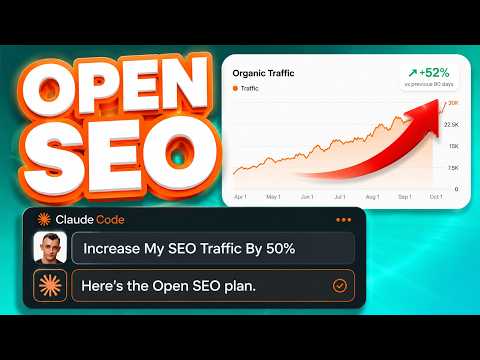
The script demonstrates how to build a free, customizable rank tracker using OpenSEO, a trending open-source GitHub project, inside an Agent OS SEO section. It explains why a self-hosted tracker can replace paid subscriptions and shows how OpenSEO supports keyword research and rank tracking for Google and AI visibility. The setup includes adding a domain, selecting country, mobile/desktop tracking, and search depth, then powering the tool with the DataForSEO API (with an example cost of about $0.50/month for 50 keywords). It also shows viewing rankings over time, exporting data, and pulling metrics like search volume, keyword difficulty, and SERP features. The creator outlines their setup process: importing OpenSEO from GitHub and using Claude to configure it with the DataForSEO API and customize features.
00:00 Free Rank Tracker Intro
00:16 Why Build Your Own
00:40 OpenSEO Overview
00:59 Keyword Research Demo
01:10 Rank Tracking Setup
01:28 Costs and Unlimited Domains
02:27 Tracking Keywords and SERP Data
03:09 Setup with Claude
03:40 Search Console Research Workflow
04:47 AI Visibility and MCP Connectors
06:02 Competitor Tracking and UI
07:15 APIs Needed and Publishing
08:36 Full Agent OS and Community
10:35 Wrap Up
The script demonstrates how to build a free, customizable rank tracker using OpenSEO, a trending open-source GitHub project, inside an Agent OS SEO section. It explains why a self-hosted tracker can replace paid subscriptions and shows how OpenSEO supports keyword research and rank tracking for Google and AI visibility. The setup includes adding a domain, selecting country, mobile/desktop tracking, and search depth, then powering the tool with the DataForSEO API (with an example cost of about $0.50/month for 50 keywords). It also shows viewing rankings over time, exporting data, and pulling metrics like search volume, keyword difficulty, and SERP features. The creator outlines their setup process: importing OpenSEO from GitHub and using Claude to configure it with the DataForSEO API and customize features.
00:00 Free Rank Tracker Intro
00:16 Why Build Your Own
00:40 OpenSEO Overview
00:59 Keyword Research Demo
01:10 Rank Tracking Setup
01:28 Costs and Unlimited Domains
02:27 Tracking Keywords and SERP Data
03:09 Setup with Claude
03:40 Search Console Research Workflow
04:47 AI Visibility and MCP Connectors
06:02 Competitor Tracking and UI
07:15 APIs Needed and Publishing
08:36 Full Agent OS and Community
10:35 Wrap Up
Full transcript
Today, I'm going to show you a new free rank tracker that you can easily build out with Claude for AI SEO. So if we go to the SEO section inside our AgentOS, you can see that we've added Open SEO, and this is a free open source project that you can use to create your own rank tracker. Now, why would you want to do that? Because then you don't need subscriptions to fancy tools.
Also, a lot of rank trackers out there aren't very good for actually tracking your data, and I'll show you a better way to do that in a second. And also, this is all free, right? It's free and open source. You can customize it, change it however you want.
That's the other cool thing. It's like, for example, if you're using Ahrefs to track your rankings, well, you won't be able to customize it in the same way. That'll show you how to do in a second. So how does this all work?
Well, basically, we've got Open SEO, which is a free open source project. It's actually trending on GitHub. Really powerful, and basically what you can do is you can use this for keyword research and also for tracking your visibility both on Google and also on AI. So it's a really powerful SEO tool, and it's fully customizable.
So for example, if we want to do keyword research, we just type in, for example, something like this. Then we can hit search, and from there we can start getting the data, as you can see, right? How easy was that? And then we get all of the keyword research you want.
But if you want to use this for rank tracking, then what we can do is we can add a domain. We can plug in our website. We can track the country, track whether we want to see our rankings on mobile or desktop, and then from there we can add the search depth. So how many pages, we go deep on that.
And also, bear in mind, you're going to plug in data for SEO as an API into this, which is still pretty cheap, as you can see right here. So for example, if you're tracking, with the, bear in mind, like the actual tool itself is free, but then you just plug in your own API. So if you're tracking like 50 keywords, it would only be 50 cents per month, right? And you could do this for all your clients.
You could add as many as you want. There's no limitations. That's the other thing as well. For example, you're using tools.
I don't want to hate on any tool, so I'm not going to mention any names, but like if you add too many domains for SEO audits to some tools, they make you upgrade or they make you pay extra, or you can't even do it on the current plan. Whereas with this, you can track as many domains as you want, my friend, right? So it's full, again, you get a lot more freedom with this sort of stuff. So this runs on data for SEO, which is pretty powerful API, probably one of the best APIs for getting SEO data.
And then for example, we can see our rankings over time. We can export it. We can add keywords we want to actually track. So you can add all the keywords here like this.
And then once you add a keyword, it will start getting the rankings for that particular keyword. So you can see that's instantly pulled in our position where we were previously, the keyword that it is, the URL that we're actually ranking for with that particular keyword directly from our website. And how easy was that, right? We can also see, for example, how much search volume we got, the keyword difficulty of that keyword, and also the SERP features, right?
So does it have AI? Does it have video on the SERP? Does it have people also ask questions, et cetera? And so this is really easy and simple to use and pretty powerful.
Now, if you're wondering how to set up, here's how I personally set up. So I got the GitHub from OpenSEO. I went into Cloud directly. I created a new conversation called OpenSEO.
And then I plugged in the details here and just asked it to set up for me. And I gave it the data for SEO API. That was it, simple as that. So you can easily use Cloud to help you set this up.
And if you want to add new features into this section, you can, right? You would just ask Cloud, okay, add this, change this, change the color on that, et cetera. And you can customize it as much as you want. The other cool thing that we've done here is we have a research section here, which again is pretty good for rank tracking.
And this is completely, like this is, you can make this fully yours. So for example, here, we can type in Hermes. And what it's going to do is look through my existing Google Search Console data for rank tracking. And then for example, it will pull in from Google Search Console for each of our websites over the last 28 days, seven days or nine days for our particular keyword, all of the keywords we rank it for.
And then if we want to create new content around that keyword, because we don't already have a page about it, we can just click on use that topic, plug in a case study for information gain, like for example, this, plug in the keyword, hit generate five articles, and then they'll actually post the content directly to our website, as you can see on this page right here. So we can create the content, track our rankings, do more keyword research, and it's all available in a fully customizable UI like this. How amazing is that, right? You couldn't do this last year.
You could, you certainly couldn't do this like two years ago with something like ChatGPT 3.5. So I think SEO is number one, easier than ever, but number two, it's more fun than ever, right? Like you can create your own tools at this point. You can create stuff that's fully customizable.
And then you can see, for example, we can also set up AI visibility tracking. So not only can we track our rankings inside Google, not only can we track our rankings from Google Search Console data, but we can also add AI visibility. So we can do brand lookup here. We can plug in data for SEO.
So we just confirm a optimization access here. We can open up data for SEO, like so, plug in an API, and then we can start using that as well, right? And the way that we do that is we just have to enable inside data for SEO, access for AI, right? So once you've confirmed it, once you've turned that on, then you can add it inside this section too.
You can also add like MCPs. So if you wanted to connect this rank tracking to Cloud Code or Codex or Cloud Desktop or Codex Desktop, no problem at all. So you have this MCP server URL inside the AI and MCP section of OpenSEO, and then you can go into Cloud Desktop or Cloud Code, plug that in. You can also set up SEO for skills, right?
So what this means, for example, is if you want skills for keyword research, competitive landscape, link prospecting, SEO coach, keyword clustering, you can plug all of those skills into Cloud Codex or Hermes agent, whatever you want as well. So that's a really powerful system. So that's basically how you can use this. And then also you've got the domain overview here.
So this is kind of rank tracking, but for competitors too. So we could have juliangoldy.com, but then we could have my competitors and we could also have our clients. So you can manage everything inside one simple place. The other thing that I quite like about this whole system is that it's so simple, right?
It's very intuitive to work with. And if we go to the rank tracking section here, how easy it is to just navigate between this. Whereas sometimes with these SEO tools, particularly the AI visibility ones that I've seen, personally, they can be a little bit confusing or time consuming to use. So this is basically, this is the free rank radar system that we have tested out.
And it's an engine that works in real time, as you can see right here. And so you get the full picture as well, because you can plug in AI answers, you can plug in Google rankings, you can also plug in search console. So you can get the data from three different places, plug that into your system, like we've got it all set up inside our agent OS, and then it's ready to go, as you can see right here. It also does SERP analysis, which is super useful, and you can export any of the data as well, whenever you need it.
So with this new system, we can see where we show up, where we rank on Google, what Google's actually got in terms of data from Google Search Console. This is a free self-hosted tool. Then you plug in data for SEO as an API, and it's really simple and easy. For actually getting the Google Search Console data, we got a Google Workspace API.
Again, Claude can help you set that up. We have the agent operating system ready to go if you want this full setup, like we've got custom made inside the airport for boarding. But basically that's it. So if you're thinking, okay, which APIs do you need?
So you want Google Workspace for this section here, then for OpenSEO, you want data for SEO, and for generating the content, we use a combination of Claude CLI, plus we use Netlify for actually publishing the content. So we can get a personal access token from Netlify and publish the content directly to our website. The other thing that I would say here is if you are using WordPress, all you need is a login details and a personal access token for that, and that's pretty easy and simple. So once you give that to your agents, they can easily publish content for you.
And so you get all the signals. So you got AI visibility, you know, are you showing up inside the AI answers? Are you ranking with your website? And also what's your Google Search Console telling you?
And the reason that we check Google Search Console is also because we want to spot new opportunities for ranking our website, right? We want to find, okay, what we're getting impressions for, but not clicks for, so that we can easily find new keyword opportunities that would actually help us rank. So that's basically it. That is the whole system, my friends.
And then we connect it once, AgentOS pulls the Google Search Console data, we see what we're ranking for, and it goes from there. So if you want to get the full agent operating system, for me, with the rank trackers, our full systems, for example, for Hermes Agent, we have the SEO content machine inside there too. We have Agent Group Chat for managing and orchestrating all your agents. We have the Oracle as well, which can also pull in the latest trending data.
So for example, it pulled in the, you know, Grok 4.5 is entering private beta. That just, that is literally trending right now. That's brand, brand new news. And then if we want to create SEO content for it, we just click the Published WordPress section here, and it will publish it directly to our websites, as you can see.
Again, these are actually hosted on WordPress. So you can link to WordPress or Netlify, whatever you want. And also the cool thing about this is it all links inside our memory galaxy. So if we go to the memory section here, all the SEO content that we create, all the keyword research data that we get, every time we use Hermes Agent, et cetera, is all plugged into this memory system so that it's organized into one second brain, it's automatically logged whenever we use this stuff, and then we can come back to it in everyone, which is super powerful in itself.
So if you want to get all this, it's inside the AI Profitable Audio. We also have a full classroom on AI SEO automation to help you as much as we can. And then if you want to get the AgentOS, just go to the New Daily Update section here, and you can find the AgentOS video tutorial when it was last updated, the zip file, and we update that daily. Also inside the community, there's lots of SEOs, and you can ask questions whenever you want.
So if you ask questions, I'll personally answer them in a video tutorial each day. And then also there's members online 24-7 that can help you too. So you get answers not just from me, but also the whole community. You get all of my best trainings inside the classroom here.
We have new daily tutorials and guides as well. And then you can jump on weekly coaching calls, ask questions, and get help in real time. Inside the map, you can actually meet people in your local area who are building with AI agents like this. And this is all available inside the AI Profitable Audio, link in the comments description, or just go to the ar-profitable.com.
Thanks for watching.
More episodes